How to make Facebook video ads, step by step
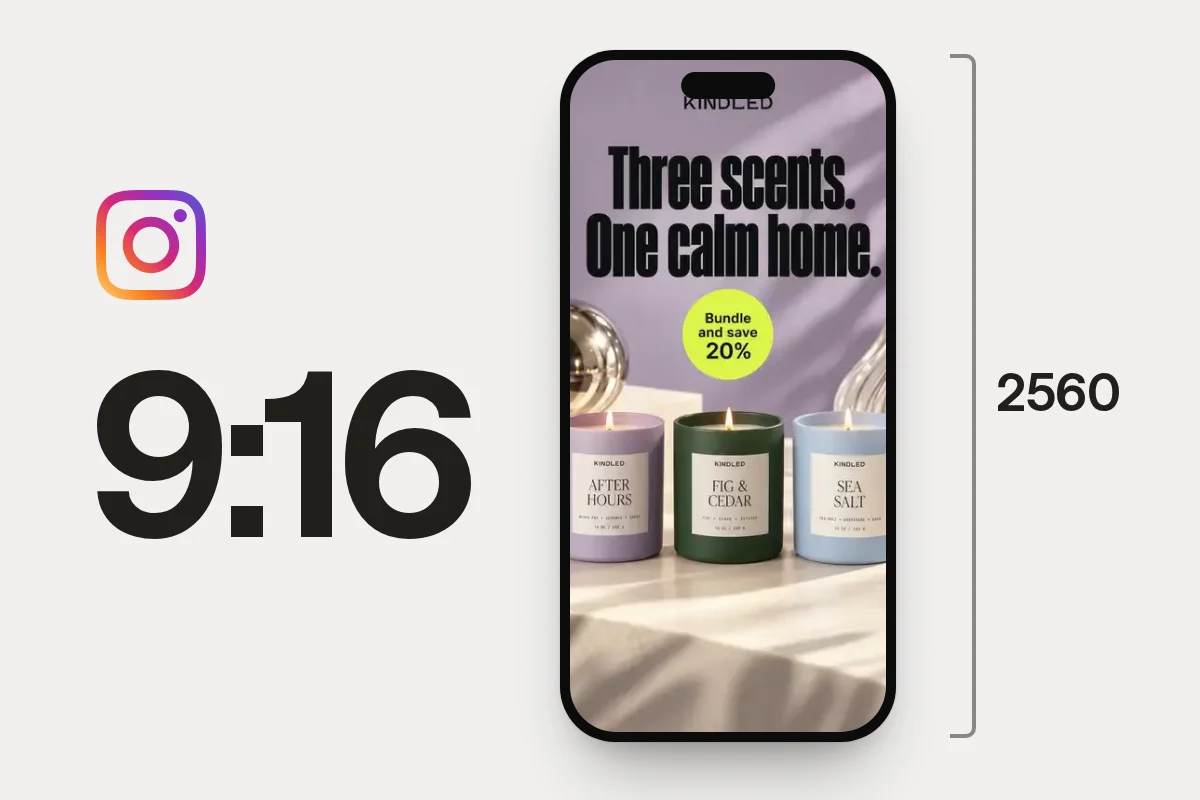
Shoot vertical on your phone, keep it short, show the product in the first frame, add captions and upload it in Ads Manager as a single video ad. Meta's ads guide lists 4:5 for Facebook Feed and 9:16 for Stories and Reels.

Facebook video ad specs
These come from Meta's ads guide for Facebook Feed video:
- File type: MP4, MOV or GIF
- Ratio: 4:5
- Resolution: 1440 x 1800 pixels
- Length: 1 second to 241 minutes
- Max file size: 4GB
- Captions and sound: optional, but recommended
For Facebook Stories, Meta lists 9:16 at 1440 x 2560 pixels, up to 3 minutes. Instagram Reels uses the same 9:16 ratio and resolution and allows up to 15 minutes.
The maximums are far longer than any small shop needs. For every size in one place, see our Facebook ad sizes guide.
Which ratio to shoot in
Shoot full vertical, using the whole phone screen. That version crops down for Feed later.
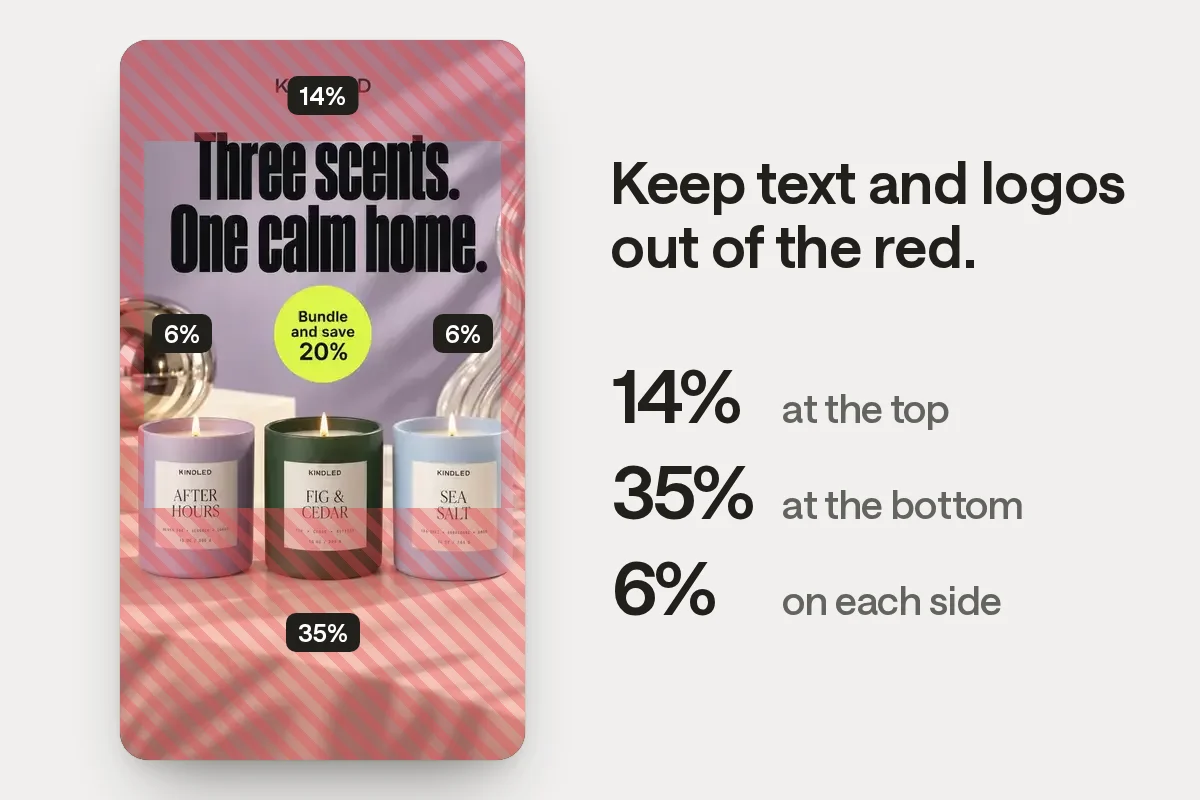
In Stories and Reels, keep text and logos away from the edges. Meta asks you to leave about 14% of the top, 35% of the bottom and 6% on each side free of text and logos, so buttons such as the call to action don't cover them. Our guide to Instagram Story ads shows how to plan around that space.
How to shoot a video ad on your phone
Meta cites industry research that phones are held in portrait mode 98% of the time, so hold yours upright.
- Light: face a window. Soft daylight from the front costs nothing.
- Steady: lean the phone on a stack of books or use a cheap tripod.
- Background: clear the counter. One product, one clean surface.
- Shoot short clips: record each shot for a few seconds, several times. Editing is easier with options.
- Get close: fill the frame with the product or the hands using it. Small details are hard to see on a phone screen.
- Record sound separately if you talk: a quiet room matters more than the mic.
The free editors on your phone, or CapCut and Canva, can trim clips and add text.

How to structure a short video ad
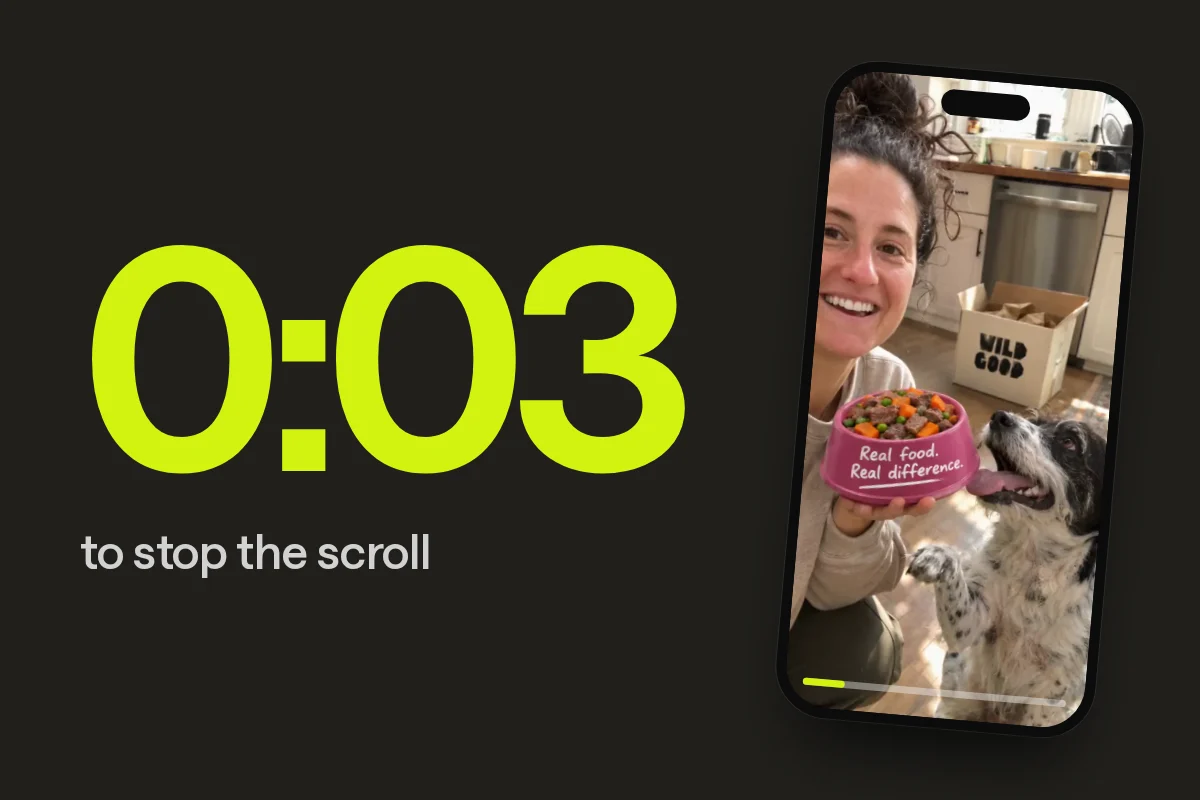
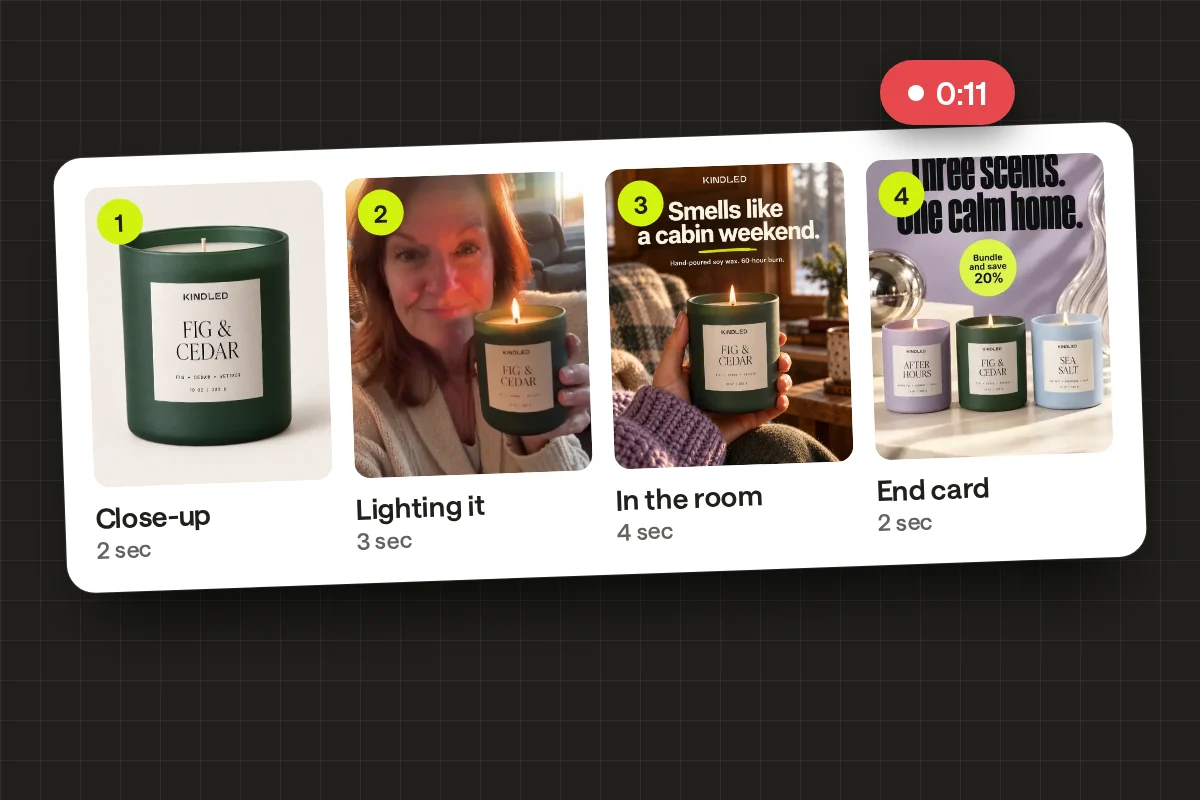
Meta's advice for mobile video is to consider delivering the message in 15 seconds or less and to put your brand and product early. A simple plan:
- 0 to 3 seconds, the hook: the product in action plus one line of on-screen text. See how to write Facebook ad hooks.
- 3 to 10 seconds, the show: what it does, close up. Pour the candle, pour the kibble, fix the leak.
- 10 to 13 seconds, the proof: a short review on screen, or a number like "50-hour burn."
- 13 to 15 seconds, the ask: the offer and what to tap, on screen.
An example for a made-up dog treat brand: open on a dog sitting still, nose twitching, as a hand opens the bag. Text: "Three ingredients. That's it." Cut to the treats close up, then the label, then "20% off your first bag" with the logo.
For ideas from real brands, browse these Facebook video ad examples.
Add captions for sound-off viewing
In a 2016 article, Meta said most video ads in mobile feed are viewed without sound, and that in one study 41% of Facebook video ads were basically meaningless without it. The same Meta article on video ad features reported internal tests where captioned video ads increased view time by an average of 12%.
- Put the key message on screen as text as well as in the voiceover.
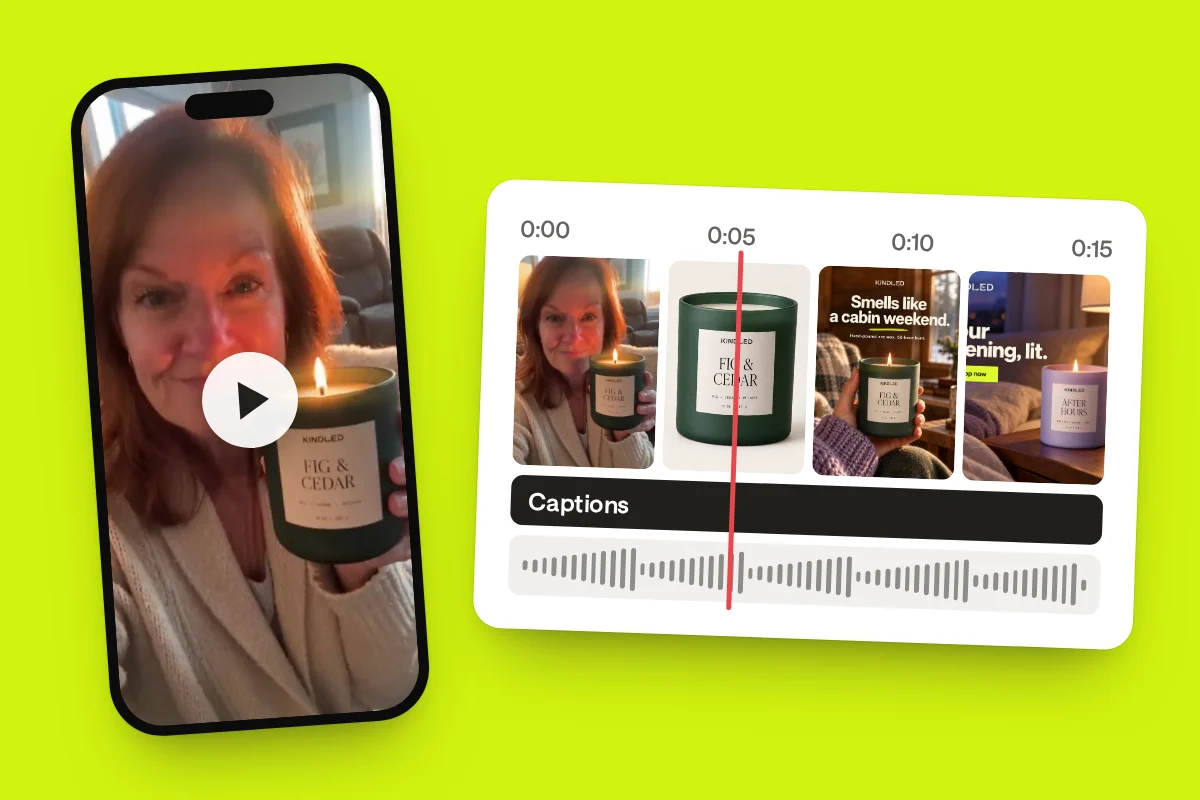
- If someone talks, add captions. Meta has an automated captioning tool for video ads. Read them before publishing and fix any misheard words.
- Use sound as a bonus. Meta's advice is to build for sound off and delight with sound on.
How to upload a video ad in Ads Manager
Meta's help page on video ads gives these steps:
- In Ads Manager, click + Create, pick your objective and click Continue.
- Fill in the campaign and ad set until you reach Ad setup at the ad level.
- Choose Manual upload as the creative source and Single image or video as the format.
- Fill in the Destination section, such as your website URL.
- Under Ad creative, click Set up creative, then Video ad, and add your file, text and call to action.
- Finish the ad, check the preview for each placement and click Publish.
If you upload both a Feed version and a vertical version, use the preview to check that each placement picked the right one. Our guide to Facebook ad copy covers what to type in the text fields.
Common Facebook video ad mistakes
- Opening on a logo card. Start with the product moving.
- Running a TV-style edit. Slow fade-ins push the product back, and Meta's advice is to show it early.
- Text in the bottom third of a vertical video. The call to action button can cover it.
- Audio carrying the whole message. Muted viewers miss it.
- Uploading one sideways video for every placement. It shows small in Feed and boxed in Stories.
- Never testing a second opening. Swap the first three seconds and compare.
Making video ads with ScaleShot
If you'd rather skip filming, ScaleShot's Studio makes short video ads from a product you've added, and you choose the duration and aspect ratio before generating. Clips run 4, 6, 8 or 10 seconds, so each one covers a beat or two of the structure above. Check the result for any change to the product or its label before you run it.

Facebook video ad questions
How long should a Facebook video ad be?
For most small shops, 15 seconds or less, which is what Meta suggests for mobile. Longer can work when people are already interested, like a retargeting ad.
What is the best size for a Facebook video ad?
For Feed, Meta recommends 1440 x 1800 pixels. For Stories and Reels, use a full vertical video.
Can I make a Facebook video ad from photos?
Yes. A few product photos with on-screen text and simple motion can work as a video ad. Upload the finished file the same way as any other video.
Do Facebook video ads need sound?
Meta lists sound as optional but recommended in its Feed specs. Make the ad work without it first, since Meta said in 2016 that most mobile feed video ads were watched muted.
ScaleShot TeamWe build ScaleShot, an AI ad tool for small businesses on Facebook and Instagram. How we make our guides
Sources
- Facebook Feed video ad specs, Meta Ads Guide
- Facebook Stories video ad specs, Meta Ads Guide
- Instagram Reels video ad specs, Meta Ads Guide
- Capture Attention with Updated Features for Video Ads, Meta for Business
- Want to Make Better Video Ads for Mobile? Here's How, Meta for Business
- How to make a video ad in Meta Ads Manager, Meta Business Help Center