How to run Facebook ads: a step-by-step guide for small businesses
To run Facebook ads, set up a Meta ad account and pixel, pick one objective, set a daily budget, add your ad images or videos, and publish. Choose Sales if you sell online and track purchases, Leads for enquiries, or Traffic if you only want website visits.


How to set up your ad account and pixel (step 1)
Before you spend anything, make sure Meta can see what happens after someone clicks your ad. That is the job of the Meta pixel, a snippet that reports actions on your site back to Meta.
Step 1 checklist
- Open Ads Manager and use your ad account. The pixel is created in Events Manager, which sits inside Ads Manager.
- Create the pixel and copy its base code. Meta's developer docs say to add the base code between the opening and closing
<head>tags on every page you want to track. - On Shopify, skip the code. In Shopify, go to Sales channels > Facebook & Instagram > Settings > Data sharing settings, turn on Customer data sharing, pick Standard, Enhanced or Maximum, and connect your pixel.
- Know what the levels mean. Shopify's Help Center says Standard uses only the pixel, which browser ad blockers can stop, while Enhanced adds Facebook's Conversions API, which sends data server to server.
- Check it works. Load a page of your site, then look in Events Manager for a new PageView event.
Then confirm the event you will optimise for exists. Meta defines Purchase as when a purchase is made or the checkout flow is completed, and Lead as when a sign up is completed. A store needs Purchase. A salon, plumber or coach needs Lead, usually fired on the thank-you page after a form.
How to choose a campaign objective (step 2)
The objective tells Meta what to find you more of. Meta's current objectives are Awareness, Traffic, Engagement, Leads, App promotion and Sales. Meta's API documentation describes these as outcome-driven objectives meant to replace the legacy ones, so older tutorials may not match what you see.
Pick the one that matches your business:
- Online store: Sales, which optimises for conversion events such as purchases. It needs the Purchase event from step 1.
- Local or service business: Leads, which aims at form submissions and enquiries. It needs the Lead event.
- No tracking yet: Traffic, which sends people to your website or another destination.
Every campaign is built in layers: the campaign holds the objective, the ad set holds budget and schedule, and the ad holds the creative. Meta explains the layers in its help article on the advertising levels in Meta Ads Manager.
If you sell housing, jobs, credit or financial products, or run political ads, you must declare a special ad category. Meta lists Housing, Employment, Credit, Financial products and services, Issues, elections or politics, and Online gambling and gaming. Housing, Employment and Credit carry targeting and audience restrictions. Read How to Choose a Special Ad Category first.
How to set a Facebook ads budget (step 3)
You choose between a daily budget and a lifetime budget. Meta's documentation says a daily budget spreads spending across each day, and on high-opportunity days up to 25% more than the daily budget may be spent, so a $10 daily budget could reach $12.50.
A lifetime budget covers the whole run. Meta's example is a $250 lifetime budget over five days, where daily spend might range from $25 to $75 depending on available results.
For a first campaign, a daily budget is easier to reason about. Start with one campaign and one ad set, so the money isn't split into pieces too small to learn from. How much is enough depends on your price and margin. Our guides to setting a Facebook ads budget and what Facebook ads cost work through it.
How to make the ads (step 4)
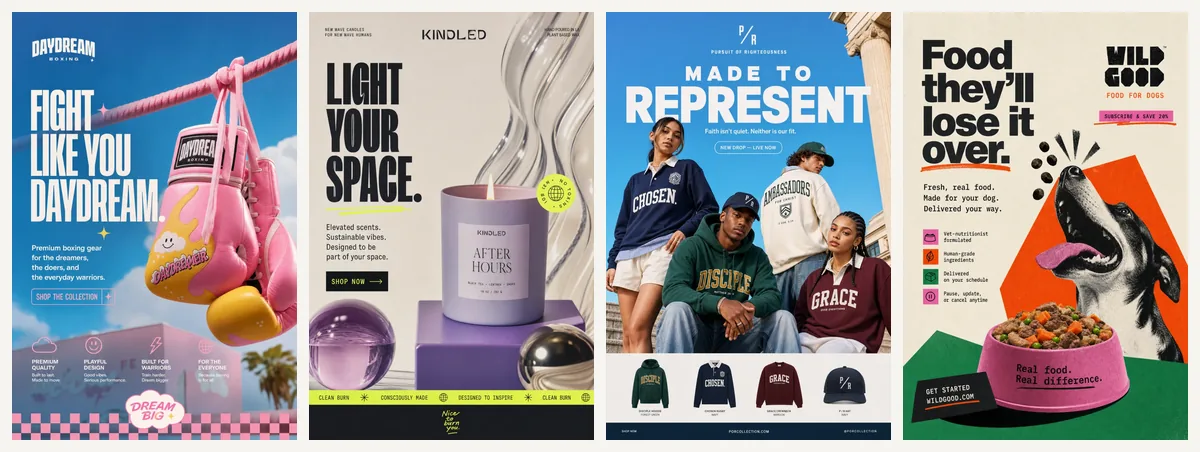
You need ad files before you can publish: a few images and ideally a short video, each with a headline and a line of copy. Make two or three different angles, such as the product itself, a customer problem and an offer. Our guide to making an ad and these examples of ads show formats that work for small businesses.
You can shoot them on a phone, hire a freelancer or designer, or use a tool. We built ScaleShot for this step. You paste your website or Shopify store link, and it learns your logo, colours, fonts and voice. Its Ads Agent then researches your market, writes a 30-day plan and makes image ads and short video ads, either AI UGC creator videos or animated styles such as claymation, 3D, paper cutout and stop motion in 4-10 second clips. Our plans start at $19.95 for the first 2 weeks, then $42 every 2 weeks. An image ad costs 10 to 20 credits and video costs 10 credits per second. ScaleShot runs Meta ads only, Meta bills ad spend separately, and we do not guarantee sales.
Whatever route you take, keep the files on-brand and make the offer clear in the first line.
How to publish and read your results (step 5)
In Ads Manager, add your ads at the ad level, check the preview, and publish. Then leave the ads alone for a few days before judging them, because changing budget or audience constantly makes the results hard to read.
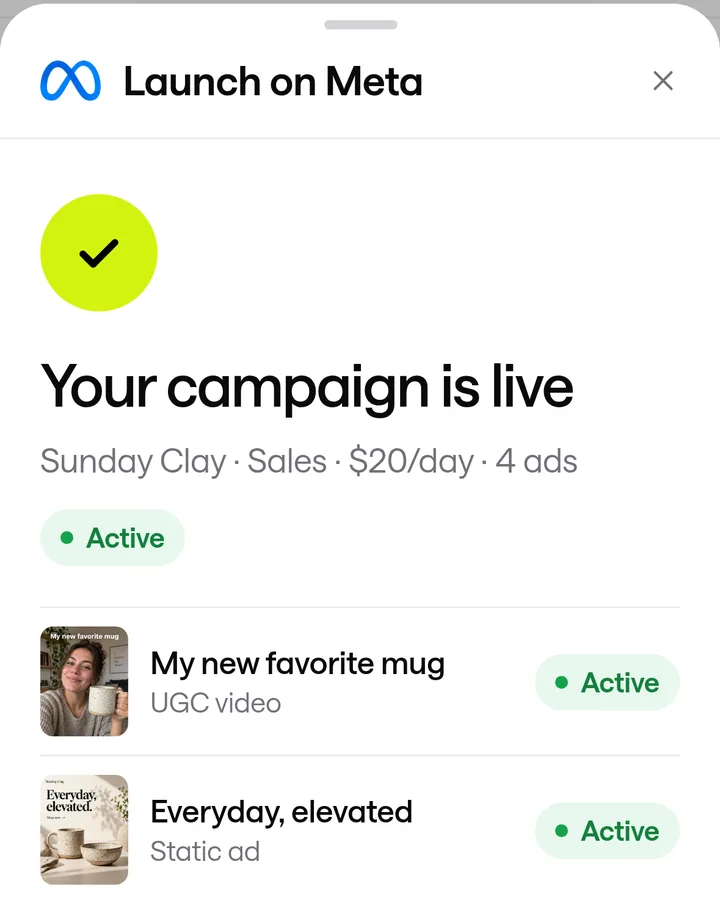
If you connect your Meta ad account to ScaleShot instead, the Ads Agent launches the Facebook and Instagram campaign for you. Sales campaigns need a pixel with Purchase events, Leads campaigns need Lead events, and Visitors campaigns need no pixel. It shows results and can pause ads or change budgets, and it always asks before it changes anything.
When results come in, compare them with our Facebook ads benchmarks and judge returns against a good ROAS for Facebook ads for your margins.
Common mistakes when running Facebook ads
- Launching without the right event. A Sales campaign with no Purchase event, or a Leads campaign with no Lead event, leaves Meta nothing to optimise for.
- Choosing the wrong objective. Traffic gets visits, not purchases, so choose by the result you want.
- Skipping the special ad category. Housing, employment and credit ads carry restrictions, so declare the right one up front.
- Using Enhanced or Maximum data sharing without knowing it. On Shopify these levels share customer details such as name, email and phone number with Meta.
- Boosting a post and calling it done. Boosting skips most of these choices. See our comparison of boosting a post versus using Ads Manager for the difference.
- Splitting a small budget across many ad sets. Keep the first test simple. Facebook ads for beginners covers a safe starting setup.
Common Facebook ads questions
Do you need an LLC to run Facebook ads?
The setup steps in the Meta and Shopify documentation we used do not mention one. Whether you need an LLC is a legal and tax question, not an Ads Manager one, so ask your accountant.
Is $500 enough for Facebook ads?
It can be enough to run a small test, depending on your price, margin and goal. Meta spends your daily budget as an average, and on some days up to 25% more; see our guide to what Facebook ads cost for ranges.
What does Facebook charge for 1,000 ad impressions?
It varies by audience, offer and season, and Meta publishes no fixed rate. You pay by billing event, such as impressions, clicks or engagement, depending on your objective and optimisation goal.
Do the same ads run on Instagram?
Yes, a Meta campaign can run on both Facebook and Instagram. Shopify's channel for this is called Facebook & Instagram; see how to run instagram ads for the Instagram-specific steps.
ScaleShot TeamWe build ScaleShot, an AI ad tool for small businesses on Facebook and Instagram. How we make our guides
Sources
- Facebook data sharing, Shopify Help Center
- Budgets overview (Marketing API), Meta for Developers
- Meta Pixel: Get started, Meta for Developers
- Meta Pixel reference: standard events, Meta for Developers
- Ad campaign reference: objectives and special ad categories, Meta for Developers
- Billing events (Marketing API), Meta for Developers
- How to Choose a Special Ad Category, Meta Business Help Center