How to make an ad for your small business
To make an ad, pick one offer, create one image or short video that shows it, then set up a campaign in Meta Ads Manager with an objective, budget and audience, and publish it. Meta organises ads into campaign, ad set and ad levels. For a first ad, one image and one video are enough.


What are the steps to creating an ad?
There are five steps, and the order matters because tracking and the objective decide what Meta can optimise for.
- Connect your Facebook Page, ad account and tracking.
- Choose an objective that matches what you want people to do.
- Make the creative: one image, one short video, and the text.
- Set the budget and audience.
- Publish, then wait before judging the result.
Meta's developer documentation describes the same structure: a campaign contains ad sets, an ad set holds the targeting and budget settings, and each ad links to a creative. Knowing which level a setting lives on saves you from hunting through Ads Manager. If you want the full walk-through of the Meta side, see how to run facebook ads.
How do you set up your Meta account and tracking first?
Before the ad, set up where results get counted. You need a Facebook Page, an ad account and a payment method. Then add tracking to your site.
The Meta pixel is "a snippet of JavaScript code that allows you to track visitor activity on your website". Its conversions appear in Ads Manager, and Meta uses them for custom audiences and for measuring ad effectiveness.
On Shopify, the Facebook and Instagram by Meta app is the route. Shopify's help center says it lets you sync your products to Facebook and create and manage ads from Shopify. We could not read Meta's own Business Help Center step lists in this review, because those pages did not load their article text, so check the live menus in Ads Manager as you go.
If your store is not on Shopify, the pixel code goes on your site directly. Skip this and you can still run traffic ads, but you will not see purchases.
How do you choose an objective and set up the campaign?
Pick the objective that names the action you want. Meta's campaign object lists outcome-style objectives such as Traffic and Sales, alongside Leads, Messages and others. Sales needs purchase tracking, Leads needs a lead event or form, and Traffic only needs a link to send people to.
Meta has also folded its separate automated and manual flows together. Meta's developer blog says Advantage+ is effectively on by default when three features are enabled: Advantage+ campaign budget, Advantage+ audience in at least one ad set, and Advantage+ placements. Before that, you chose between Advantage+ shopping campaigns and manual campaigns, and some guides still use that older name. Leave the defaults on for your first campaign.
Set the budget
A campaign can have a daily budget, a lifetime budget and a spend cap. You cannot set budgets at both campaign and ad-set level at once. Choose a daily amount you can lose without worry while you learn.
Check for special ad categories
Meta requires you to declare housing, employment, credit, financial products and services, and social issue, election or political ads, and these come with targeting and audience restrictions. If you sell any of these, read Meta's ad standards first.
How do you make the ad itself?
Make one clear promise per ad: what you sell, who it is for, and what to do next. Then build two versions of the visual, one image and one short video, and test them against each other.
Image ad
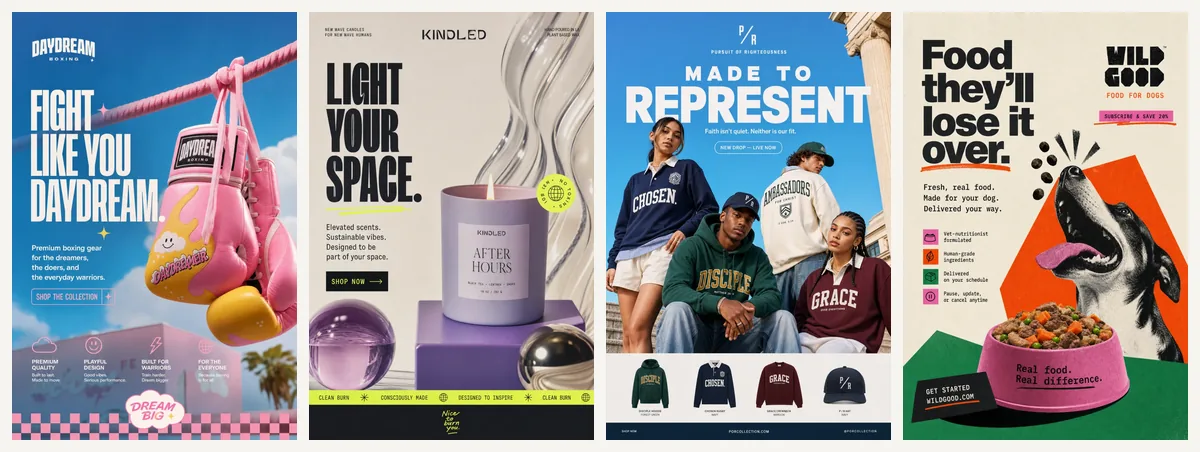
Use your product photo or a clean render, your logo and brand colours, and one short line of text. Keep one offer per image. For examples of what works for small shops, see ad examples.
Video ad
Short vertical clips are the usual starting point. If you use a creator-style video, remember the FTC rule: disclose any financial, employment, personal or family relationship with a brand, clearly and with the endorsement itself. Meta also prohibits ads that use deceptive or misleading practices, so do not present a made-up person as a real customer.
Let Meta adjust the format
Meta's standard enhancements are for ads using a single image, video or carousel, and they automatically create variations and show each person the one they are most likely to respond to. These include auto-cropping for video and image templating for photos. Preview your ad in each placement before you publish.
Can AI create an ad for me?
Yes, AI tools can draft the image, the video and the copy. The part that stays with you is the offer and the check before it goes live.
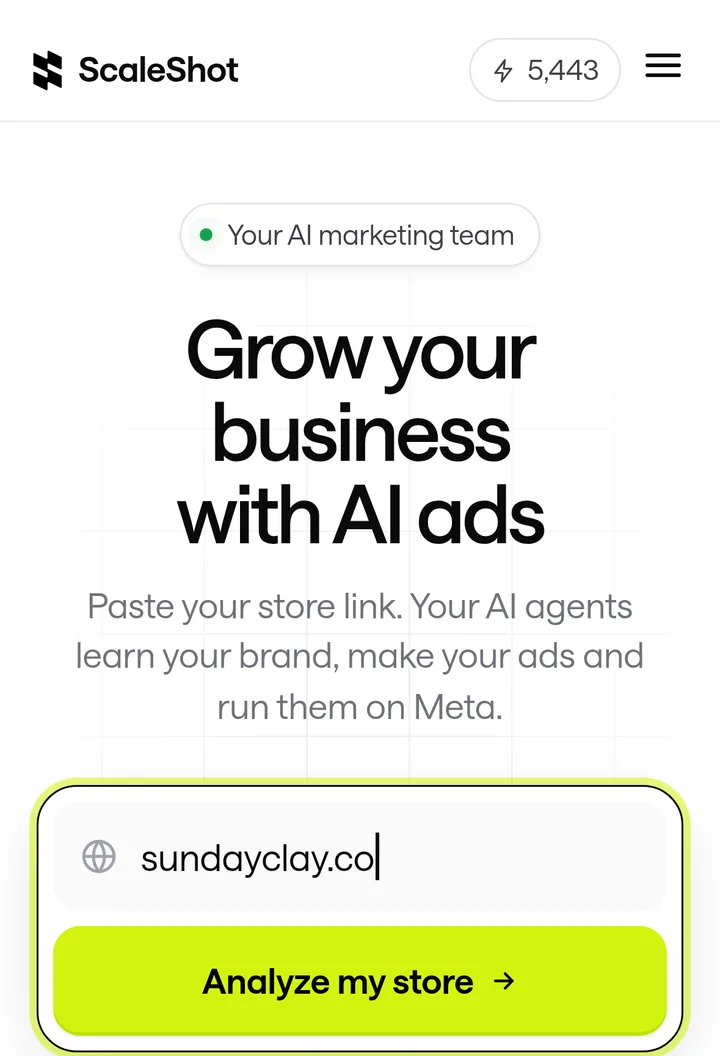
ScaleShot is one option. It learns your business from your website or Shopify link, logo, colours, fonts and voice, then its Ads Agent writes a 30-day plan and makes image ads and short video ads in chat. Image ads cost 10 to 20 credits and video costs 10 credits per second, and the entry offer is $19.95 for the first 2 weeks (our data). It can launch to your connected Meta account and it asks before it changes anything. For Sales campaigns it needs a pixel with Purchase events, for Leads it needs Lead events, and Visitors campaigns need no pixel. It runs Meta ads only, does not guarantee sales, and Meta bills your ad spend separately. There is more on the AI ad generator page.
ScaleShot does not offer human creators or an agency service, so a freelancer or an agency is the route if you want a person to shoot real footage or manage the account for you.
What mistakes make a first ad fail?
- Judging too early. Shopify's guide recommends waiting 4-5 days after launch before making optimisation decisions.
- Skipping tracking. Without a pixel or lead event, Ads Manager cannot count purchases or leads.
- Setting the wrong objective. A Traffic campaign sends clicks, not necessarily buyers.
- Ignoring special categories. Ads for housing, employment or credit have extra restrictions, and declaring them is required.
- Changing three things at once. Change one thing, such as the image, so you know what made the difference.
- Setting a number as a promise. No ad guarantees a return. If you want to read results, see good roas for facebook ads.
Common ad-making questions
What is an example of a good ad?
A good small-business ad has one offer, one visual and one next step. Browse ad examples to see real formats and what each one does.
How long should I wait before changing an ad?
Shopify's guide suggests 4-5 days after launch before making optimisation decisions. Changing sooner means you are reacting to too little data.
Do I need a Meta pixel to make an ad?
Not for every goal. The pixel tracks site activity and conversions in Ads Manager, so you need it if you want to optimise for purchases or measure them.
Can I run housing, credit or political ads the same way?
No. Meta lists these as special ad categories, you must declare them, and they have targeting and audience restrictions.
ScaleShot TeamWe build ScaleShot, an AI ad tool for small businesses on Facebook and Instagram. How we make our guides
Sources
- Advantage+ campaign experience for sales and app, Meta for Developers
- Standard Enhancements for Advantage+ Creative, Meta for Developers
- Advertising Standards, Meta Transparency Center
- Facebook and Instagram by Meta, Shopify Help Center
- Meta Pixel, Meta for Developers
- Disclosures 101 for Social Media Influencers, U.S. Federal Trade Commission
- Ad Campaign (campaign group) reference, Meta for Developers
- Ad Creative, Meta for Developers