Boost post vs Ads Manager: which should you use?
Boost a post when you want more likes, comments or clicks on something you already posted; use Ads Manager when you want sales, leads or tracked website actions. Boosts offer a short list of goals and run in feeds only, while Ads Manager adds sales objectives and more placements.


Is it better to boost a post or create an ad on Facebook?
It depends on whether the post itself is the goal or money is. Hootsuite lists the Meta boost goals as post engagement, profile visits, link clicks and messaging, and says boosts run in feeds only: Facebook mobile, Facebook desktop and Instagram feed. Ads Manager adds goals such as sales, app installs and store traffic, plus Stories, Reels, Messenger and Audience Network placements.
Targeting differs too. Boosted posts allow only basic targeting, while Ads Manager offers demographic, interest-based, behavioural and lookalike audiences, plus multiple ad sets for testing. Rathly Marketing recommends Ads Manager when the goal connects to revenue, and boosts for smaller visibility plays.
A simple rule:
- Want more people to see a post you are proud of: boost it.
- Want purchases, leads or tracked actions on your site: build the ad in Ads Manager, which supports Meta Pixel or Conversions API tracking.
- Want to compare two images or two audiences: Ads Manager, where you can A/B test headlines, CTAs, images or videos.
Boosted posts report surface-level numbers such as likes, comments and reach, while Ads Manager can link results to conversions on your site.
How to boost a post on Facebook
These are the steps as Hootsuite documented them; Meta moves buttons around, so match the labels you see on screen.
- Open your Facebook Page and find the post you want to promote.
- Click Boost Post on that post.
- Choose a goal, for example getting more website visitors.
- Check the action button and the website URL.
- Pick your audience by gender, age, location and interests.
- Set a budget and duration. The default duration is 7 days and the minimum budget is $1 per day.
- Click Publish.
You need admin or manager access to the Page, and an ad account with a current payment method, because the boost is billed there. Pick a post that already has a clear offer or link, since a boost only spreads what is in the post.

How to create an ad in Ads Manager
Ads Manager asks for more decisions up front, but each one gives you control the boost button hides. Shopify walks through the current flow.
- Click Create and pick an objective. Meta offers six: Sales, Leads, Engagement, App Promotion, Traffic and Awareness.
- Name the campaign and declare a special ad category if one applies.
- At the ad set level, choose your goal and set a daily or lifetime budget.
- Define the audience with custom, lookalike or Advantage+ audiences.
- Build the ad: choose a format and upload your images or video.
- Review and publish. Approval can take up to 24 hours.
For sales or lead goals, install the Meta Pixel on your site first so Meta can see what people do after clicking. If you are deciding how much to put in, see our guide to setting a Facebook ads budget; for a longer walkthrough, read our step-by-step guide to running Facebook ads.
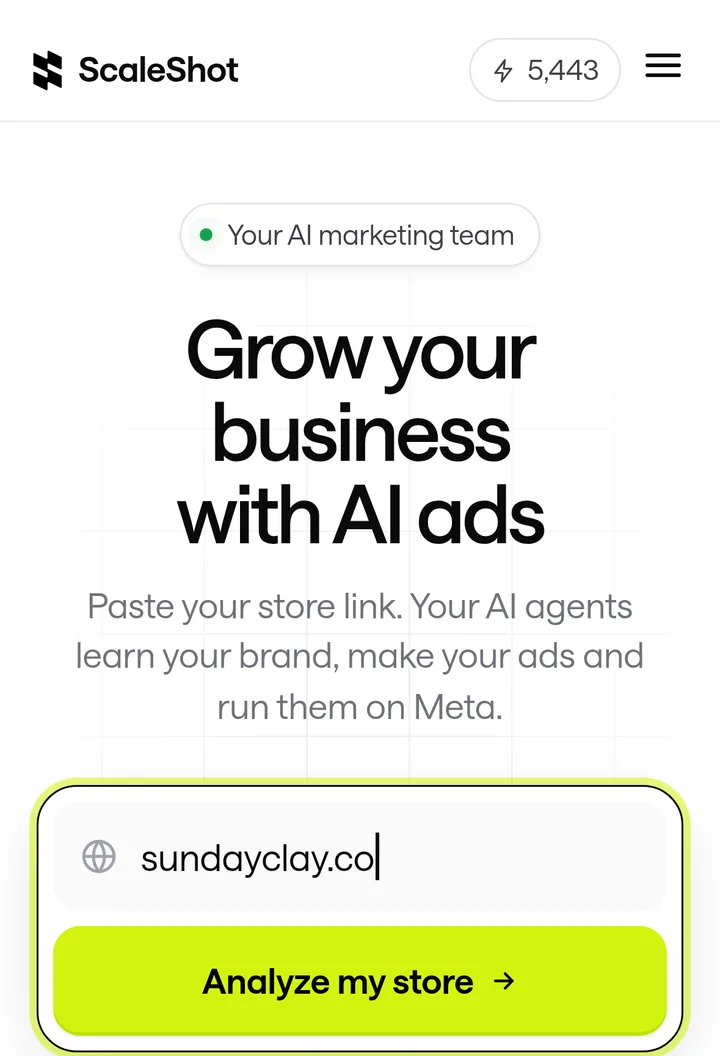
The hard part for many owners is the creative in step 5. We built ScaleShot to make on-brand image and short video ads from your store link and launch them to your connected Meta ad account, asking before it changes anything. Sales campaigns need a pixel with Purchase events, Leads need Lead events, and Visitors needs no pixel. Our plans start at $19.95 for the first 2 weeks, then $42 every 2 weeks, and Meta bills ad spend separately.
What mistakes should you avoid when boosting or advertising?
- Boosting for sales. Sales is not among the Meta boost goals, which are engagement, profile visits, link clicks and messaging. Use a Sales campaign in Ads Manager instead.
- Judging a boost by likes. Boost reports show likes, comments and reach, not purchases. Decide up front which number tells you it worked.
- Skipping the pixel. Ads Manager needs Meta Pixel or Conversions API events to attribute actions to your ads.
- Starving the ad set. Hootsuite reports Meta recommends around 50 conversion events per week per ad set, so a tiny budget on a sales goal may not give Meta enough to learn from.
- Ignoring special ad categories. Declare one in Ads Manager if your ad needs it.
Common boost post vs Ads Manager questions
Do boosted posts count as ads?
Yes. A boost is paid through your Facebook ad account, and Metricool notes boosted post results also appear in the Meta Ads campaigns list, marked as "post".
How much does Facebook charge to boost a post?
You set the budget; the minimum is $1 per day. For what typical costs look like, see our Facebook ads benchmarks.
Are boosted posts worth it?
They are worth it for reach and engagement on a post you already like, and a poor fit for revenue goals, where Rathly Marketing recommends Ads Manager.
Can I boost an Instagram post too?
Yes, boosts can run in the Instagram feed. For Instagram-specific setup, see our guide to running Instagram ads and our breakdown of what Instagram ads cost.
Does Ads Manager cost more than boosting?
Not by itself: both are billed from your ad account budget, and you choose the amount. What differs is the setup time and the controls you get.
ScaleShot TeamWe build ScaleShot, an AI ad tool for small businesses on Facebook and Instagram. How we make our guides
Sources
- Boosted posts vs. ads: What to know in 2026, Hootsuite
- How does Facebook boost posts work, Hootsuite
- Differences between boosted posts and ads, Metricool
- Facebook Ads Manager guide, Shopify
- Meta Ads Manager vs. Boosted Posts, Brandscend
- What's the difference between boosting a post and running ads in Ads Manager?, Rathly Marketing
- Meta Ads Manager vs Boosted Posts: What's the Difference?, Clever Clicks