The best AI product photography tools
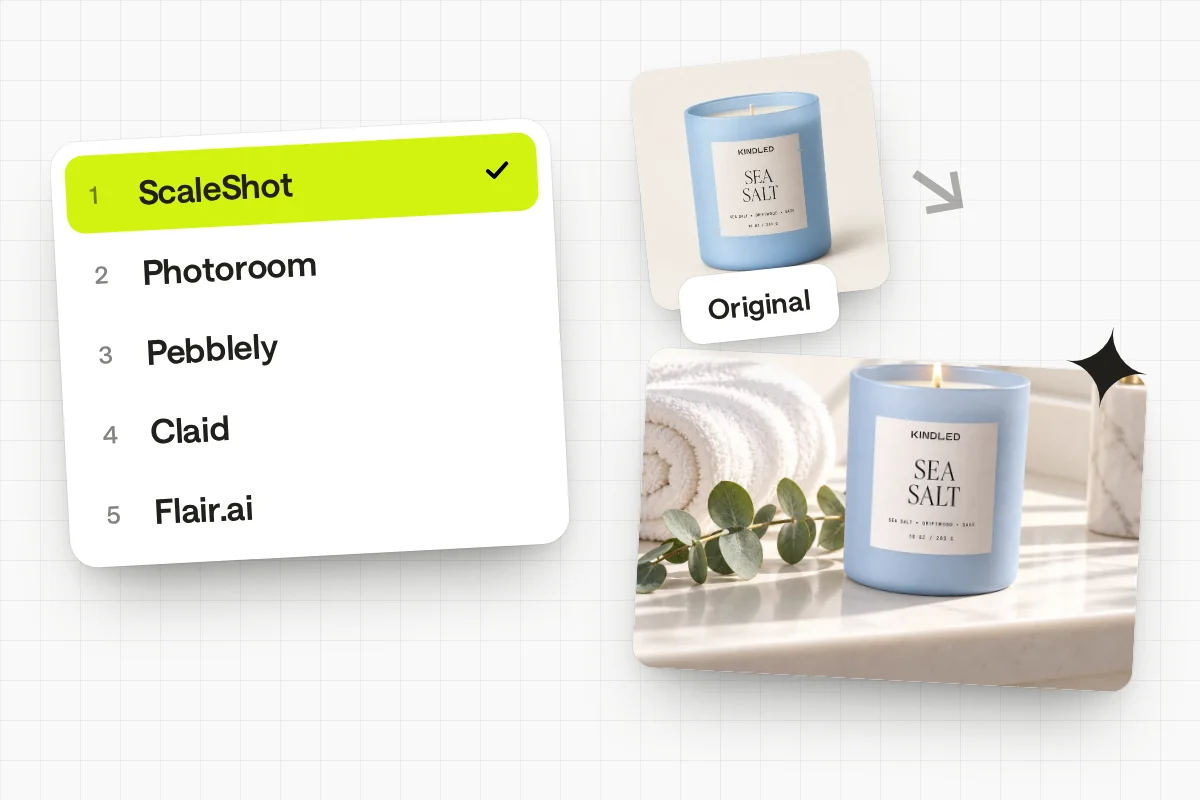
The best AI product photography tool for a small shop turns one plain product photo into a styled scene you can use. Photoroom, Pebblely and Claid all have paid plans under $10 a month. Shopify stores get an AI scene editor in the admin, and ScaleShot turns your product photos into finished image ads.

How to choose an AI product photo tool
Most of these tools do the same core job. You upload a photo of your product, the AI cuts it out, and it places the product in a new scene: a marble counter, a beach, a plain studio backdrop. The differences are in price per image, how faithful the product stays, and what you get at the end. For AI help with the rest of a store, see our AI tools for ecommerce list.
| Tool | What you get | Starting price | Free plan or trial | Monthly limit on entry plan |
|---|---|---|---|---|
| ScaleShotUs | Image ads made from your product photos | $19.95 for the first 2 weeks | No | 500 credits per 2 weeks; 10 to 20 per image |
| Photoroom | AI backgrounds and photo editing | $7.50/month billed yearly | Trial, length not stated | 1,000 exports |
| Pebblely | Themed product scenes | US$9/month | Not listed | 30 images |
| Claid | Credit-priced edits and AI photoshoots | $9/month | Free plan, 50 credits | 500 credits |
| Flair.ai | Custom model trained on your product | $8/month | Free plan, 5 images | Not stated on Pro |
| Canva | Design tool with AI images | US$144/year Pro | Free plan and Pro trial | Not stated |
| Shopify media generation | AI scenes in the Shopify admin | Free for a limited time | Needs a Shopify plan | 1 scene at a time |
- What you get
- Image ads made from your product photos
- Starting price
- $19.95 for the first 2 weeks
- Free plan or trial
- No
- Monthly limit on entry plan
- 500 credits per 2 weeks; 10 to 20 per image
- What you get
- AI backgrounds and photo editing
- Starting price
- $7.50/month billed yearly
- Free plan or trial
- Trial, length not stated
- Monthly limit on entry plan
- 1,000 exports
- What you get
- Themed product scenes
- Starting price
- US$9/month
- Free plan or trial
- Not listed
- Monthly limit on entry plan
- 30 images
- What you get
- Credit-priced edits and AI photoshoots
- Starting price
- $9/month
- Free plan or trial
- Free plan, 50 credits
- Monthly limit on entry plan
- 500 credits
- What you get
- Custom model trained on your product
- Starting price
- $8/month
- Free plan or trial
- Free plan, 5 images
- Monthly limit on entry plan
- Not stated on Pro
- What you get
- Design tool with AI images
- Starting price
- US$144/year Pro
- Free plan or trial
- Free plan and Pro trial
- Monthly limit on entry plan
- Not stated
- What you get
- AI scenes in the Shopify admin
- Starting price
- Free for a limited time
- Free plan or trial
- Needs a Shopify plan
- Monthly limit on entry plan
- 1 scene at a time
Prices come from each tool's own page on November 10, 2026.
- Start with one clear, well-lit photo per product. Every tool works from what you give it.
- Count how many images you need a month and compare that with each plan's limit.
- Check the output size. For a Facebook feed ad, Meta's ads guide recommends a 4:5 image at 1440 x 1800 pixels, as a JPG or PNG.
- Zoom in on labels, logos and text. AI can blur or rewrite them.
For taking the source photo yourself, see our guide to product photography.
1. ScaleShot: best when the photo is for an ad
ScaleShot makes image ads from your product photos. In Studio you pick a product, describe the image you want, and can add a reference image or start from a template. The result is an ad you can launch on Facebook and Instagram from the same account. It is the right pick when the end goal is a Meta ad, rather than a catalog of product shots for your store. For other tools that make full ads, see our list of AI ad generators.
Pricing
Plans start at $19.95 for the first 2 weeks with 500 credits, then $42 every 2 weeks. A Fast image uses 10 credits and a high-quality image uses 20.
Where it falls short
- Ads run on Meta only, with no Google or TikTok launch.


2. Photoroom: cheapest yearly plan for background swaps
Photoroom is a photo editor built around backgrounds. Its AI Backgrounds Studio places your product in generated scenes, and Pro includes 4,000 of those generations and 1,000 exports a month.
Pricing
Photoroom lists Pro at $7.50 a month, Max at $20.99 and Ultra at $82.50, all billed yearly. Pro and Max show a free trial button, though the page does not give the trial length.
Where it falls short
- The page lists only yearly-billed prices.
- Video for ads starts on Max.
3. Pebblely: simple themed scenes at a flat monthly count
Pebblely gives you 40+ background themes plus custom prompts, so you pick a look and it builds the scene around your product. It suits a shop owner who wants a set number of images each month with no credit math.
Pricing
Lite is US$9 a month for 30 images, Basic is US$19 for 200 and Pro is US$39 for 500. The yearly plan gives you 2+ months free.
Where it falls short
- Bulk generation starts on Basic.
4. Claid: pay per edit, with a free starting balance
Claid prices every task in credits. Background removal costs 1 credit, a Standard AI Photoshoot costs 4 and a Studio photoshoot costs 10. A 5-second AI video costs 60.
Pricing
The free plan gives 50 credits. Essentials is $9 a month for 500 credits and Pro is $35 a month for 2,000.
Where it falls short
- Essentials caps output at standard resolution up to 2K, and 4K generation needs Pro.
5. Flair.ai: trains a model on your product
Flair.ai lets you train a custom model on your product, then generate scenes with it. That can keep the product's shape and details more consistent across many shots.
Pricing
Free costs $0 and includes 1 custom model and 5 generated images. Pro is $8 a month, Pro+ is $26 a month for 80 images and Scale is $38 a month for 150.
Where it falls short
- The company commercial license is listed from Pro+ up, so check the terms before using Free or Pro images in ads.
6. Canva: AI images inside the design tool you may already use
Canva lists a photo background remover and AI image creation in its plans. If you already make social posts in Canva, you can clean up a product photo and drop it into a design in one place.
Pricing
Free is US$0. Pro is US$144 a year for one person and Business is US$250 a year per person. Pro gets 10x more AI use than Free, and both paid plans offer a free trial.
Where it falls short
- The free plan has limited AI access.
7. Shopify media generation: built into your store admin
Shopify stores can edit product images with AI right in the admin. You can remove or replace a background, or describe a whole new scene:
- In your Shopify admin, go to the media file.
- Click the thumbnail to open the file editor.
- Click Generate and describe the scene you want.
- Click Submit, then Save or Save as new.
Shopify suggests adding size details to the prompt, such as "8oz jar candle", so the product sits at the right scale.
Pricing
Shopify's help page says media generation is free for a limited time on all Shopify plans.
Where it falls short
- It makes 1 AI scene at a time, and unsaved scenes are lost when you close the editor.
AI product photography questions
Is there a free AI product photography tool?
Flair.ai and Claid both have free plans with a small allowance of images or credits. Shopify's media generation is free for a limited time on its plans.
Can I use AI product photos in Facebook ads?
Yes, as long as the photo shows the real product. Check the tool's license first; Flair.ai, for example, lists a company commercial license only from Pro+ up.
Do I still need a real photo of my product?
Yes. Each tool starts from a picture you upload, and a sharp, evenly lit photo on a plain background gives the AI the best start.
What size should a product photo be for an Instagram or Facebook ad?
Meta recommends 1440 x 1800 pixels at 4:5 for feed image ads. Our guide to Facebook ad sizes covers Stories and Reels.
ScaleShot TeamWe build ScaleShot, an AI ad tool for small businesses on Facebook and Instagram. How we make our guides
Sources
- Photoroom pricing, Photoroom
- Pebblely pricing, Pebblely
- Claid pricing, Claid
- Flair.ai pricing, Flair.ai
- Canva pricing, Canva
- Media generation, Shopify Help Center
- Editing images in the media editor, Shopify Help Center
- Facebook Feed image ad specs, Meta Ads Guide